Docker Contexts (platform admin)
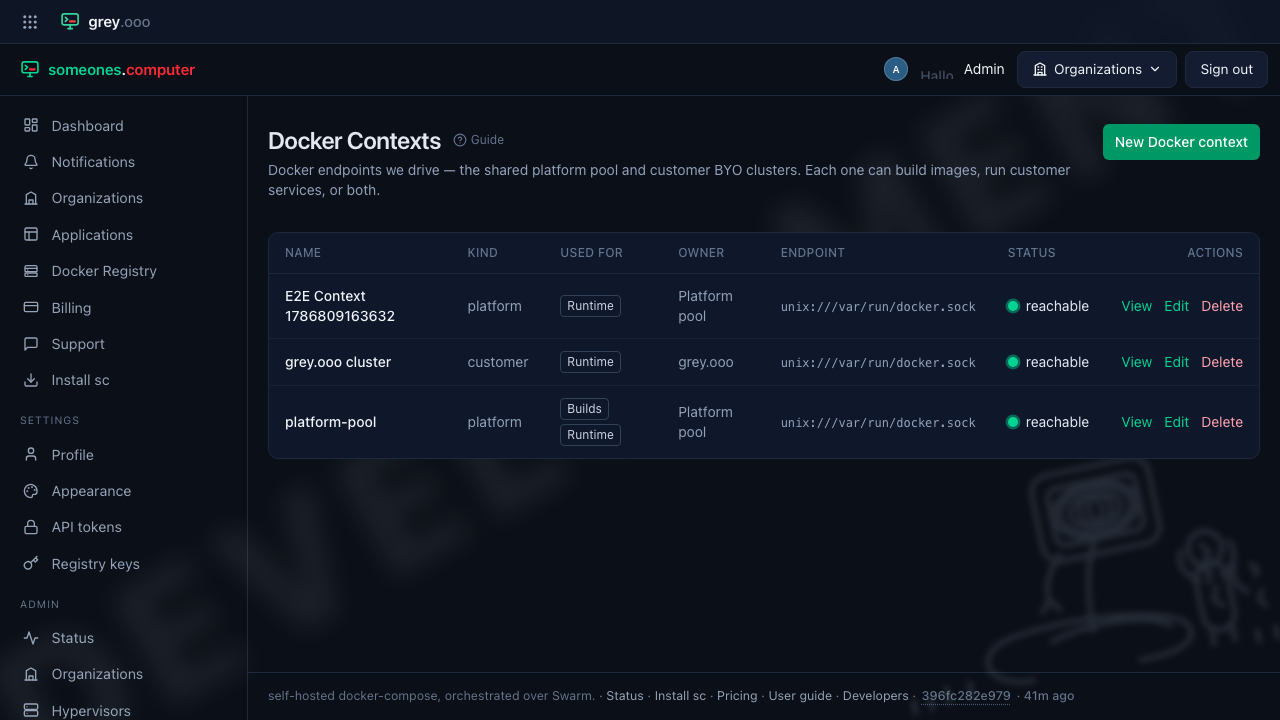
A context is a Docker endpoint the platform drives — the shared platform pool, or a customer's own BYO cluster. Whether it builds images, runs customer services, or both, is a property of the context itself, so one screen defines them all. It lives under Admin → Docker Contexts and requires the platform-admin role.
Roles
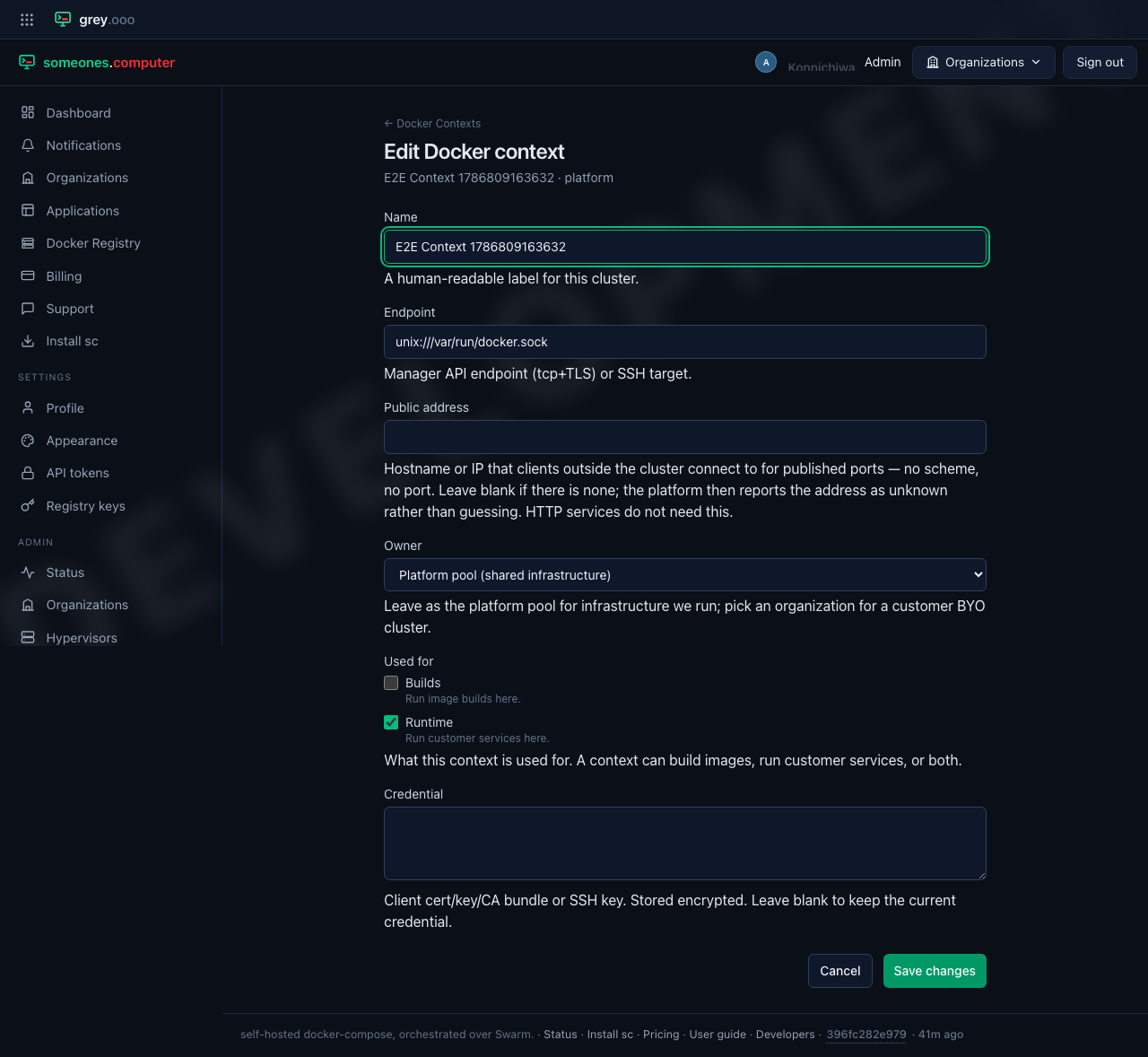
Each context is used for one or both of:
| Role | What it means |
|---|---|
| Builds | Image builds run here, as one-shot Swarm tasks. |
| Runtime | Customer services run here. |
A context with neither is configured but parked — legitimate while someone is setting one up.
A new install's platform pool arrives with both roles. That is the one context seeded with Builds rather than given it by hand:
| Context | Starts as | Why |
|---|---|---|
| The platform pool an install is created with | Runtime + Builds | The platform has to be able to build on day one. Without it every uploaded bundle sits at pending and Admin → Status opens red on build, which is not a state an install should have to be talked out of. |
| Anything you add on this screen, platform pool or customer cluster | Runtime only | The column defaults to runtime alone and the form follows it. For a customer cluster that is also a trust boundary — see below — so Builds there stays a deliberate tick. |
The pool's grant is a migration (Version20260814124059), not a change to the column
default, and it is conditional: it grants the role only where no context anywhere
already carries it. An install that named a dedicated builder keeps that builder. This
fixes an install that cannot build; it does not overrule one that can.
Think before ticking Builds on a customer cluster. A build runs with the platform's own registry credentials, mounted as a Swarm secret, and pulls base images through them — so a context you grant the role to can see material beyond its own tenant's. Platform contexts are preferred for builds and take the work whenever one is reachable; a customer cluster with the role only ever picks up what nothing else can. Grant it to clusters you'd trust with the credentials.
The other fields
- Endpoint — the manager API endpoint (
tcp+TLS) or SSH target. The platform pool in development is the local socket,unix:///var/run/docker.sock. - Public address — the hostname or IP that clients outside the cluster connect
to for a service published on a raw port: a hostname or an IP, no scheme and no
port. Easy to confuse with Endpoint above, and it is the opposite direction —
the endpoint is where the platform reaches the daemon, this is where a customer's
users reach a customer's service. Nothing can work it out for you, which is why it
is a field: the endpoint is routinely a socket or a private address, and a node's
hostname is what the node calls itself rather than what your DNS or load balancer
points at it. Leave it blank if there is none and the platform reports the address
as unknown rather than guessing, which is what an application asking
GET /cli/applications/{slug}/endpointswill be told. Applications that speak HTTP do not need it — they answer on a name the edge assigns them. - Owner — leave as the platform pool for infrastructure we run; pick an organization for a customer BYO cluster. This also decides the context's kind.
- Status — whether the endpoint is currently reachable. Not a field you set: it
is measured. The endpoint is probed when you save the context, again on every
RECONCILE_INTERVAL_SECONDStick, and on demand from Check now on the context's own page. An unreachable context is probed along with the rest, so one that comes back recovers by itself. - Credential — client cert/key/CA bundle or SSH key. Stored encrypted, never rendered back; leaving it blank on edit keeps the stored one.