Registry sign-ins
How your organization signs in to registries that aren't ours, so a compose file naming a private image can be pulled. Open them from the Registry sign-ins pill on an organization's page.
Not to be confused with registry keys, which are your own credential for this platform's registry. A registry key lets you
docker loginhere; a sign-in lets the platform log in somewhere else on your behalf.
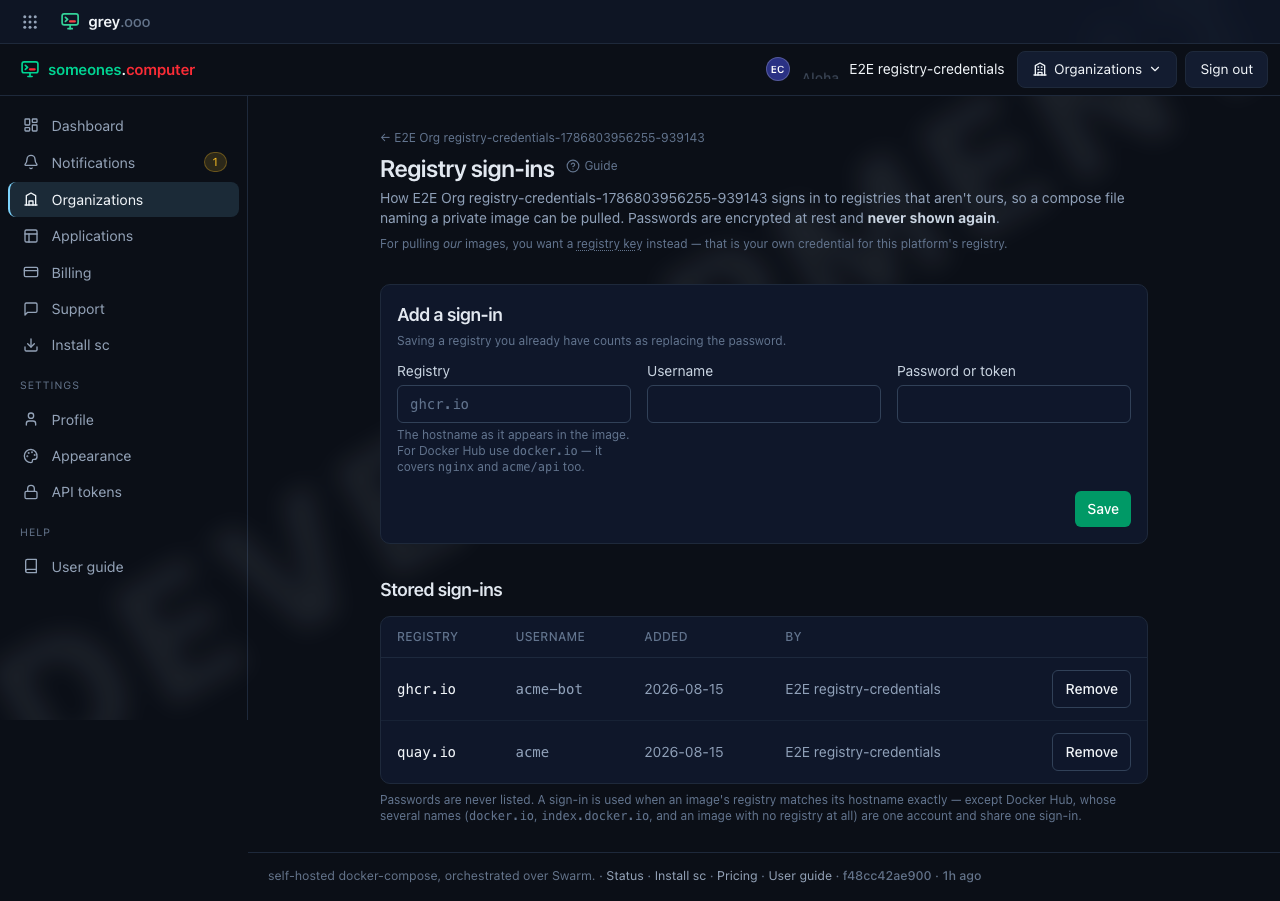
Adding one
| Field | What to put |
|---|---|
| Registry | the hostname as it appears in the image — ghcr.io, quay.io, registry.example.com:5000 |
| Username | your account there |
| Password or token | a personal access token where the registry offers one |
Saving a registry you already have replaces the password rather than adding a
second row. One sign-in per registry per organization: you have one account at
ghcr.io, not one per application.
Docker Hub is a special case
An image can name Docker Hub four different ways, and they are all the same account:
| In your compose file | |
|---|---|
nginx |
no registry named at all |
acme/api:1 |
still no registry — this is a Hub user image |
docker.io/acme/api:1 |
named explicitly |
index.docker.io/acme/api:1 |
named by its canonical host |
Store one sign-in under docker.io and all four are covered. You don't need
a row per spelling.
Passwords are never shown again
They are encrypted at rest and nothing reads one back — not the page, not an API, not an admin. A sign-in can be replaced or removed, never read. The list shows the registry, the username, and who added it when.
Removing one
Deployments already running keep pulling: Swarm stored the credential against the service when it was created. The next deploy is what discovers the sign-in is gone, and it will fail if the image is still private.